

Come cambiare Windows 10 Home in Pro utilizzando Cmd
(Applies to: Windows 10 Home, Windows 10 Home Single Language)
Step 1: You open cmd (run as administrator)
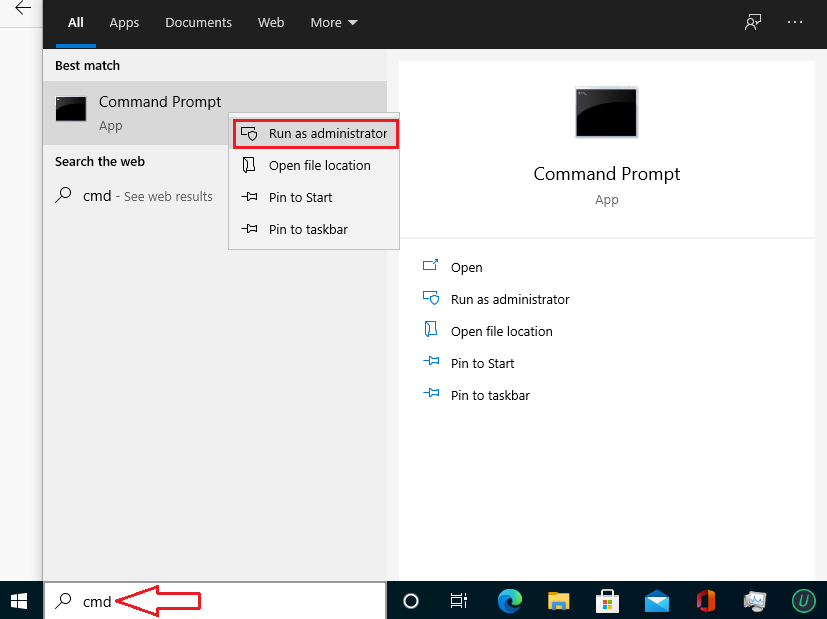
Step 2: Copy and paste these codes one by one into cmd.
slmgr.vbs /upk
slmgr.vbs /ckms
Step 3Then you copy and paste this code
DISM /online /Get-TargetEditions
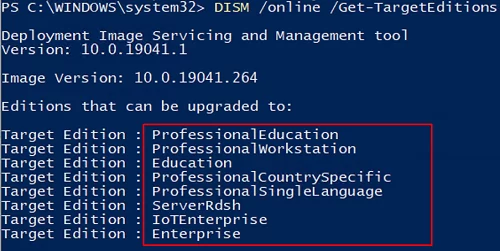
If you see Target edition: Professional, your Windows 10 Home can upgrade to Windows 10 Pro.
Step 4: You type these codes in cmd
sc config LicenseManager start= auto & net start LicenseManager
sc config wuauserv start= auto & net start wuauserv
changepk.exe /productkey VK7JG-NPHTM-C97JM-9MPGT-3V66T
exit
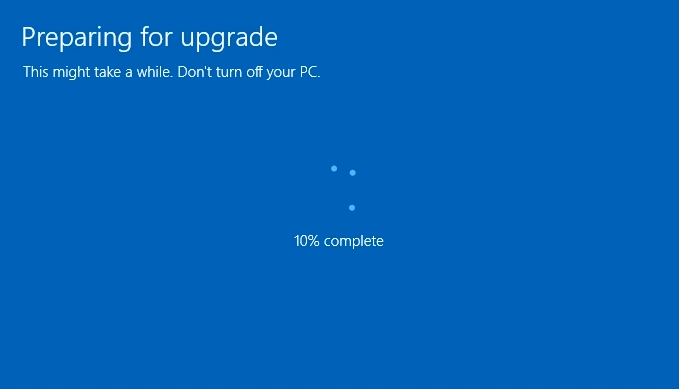
Then you enter and wait for a moment.
OUR PRODUCTS:
operating system: Windows 11 – Windows 10 – Windows 8 – Windows 7
Microsoft Office: Office 2021 – Office 2019 – Office 2016 – OFFICE 2019 HOME & BUSINESS MAC – Office Home & Business 2016 – VISIO PROFESSIONAL 2021 – PROJECT PROFESSIONAL 2021
Antivirus: Malwarebytes Premium – ESET Internet Security 2023– Kaspersky Total Security 2023
Microsoft Server: Windows Server – WINDOWS SERVER 2022 STANDARD – WINDOWS SERVER 2022 DATACENTER – WINDOWS SERVER 2019 STANDARD –WINDOWS SERVER 2019 DATACENTER