

Come aggiornare Windows 11 Home a Pro
(Applies to: Windows 11 Home, Windows 11 Home Single Language)
Step 1: Open cmd (run as administrator)
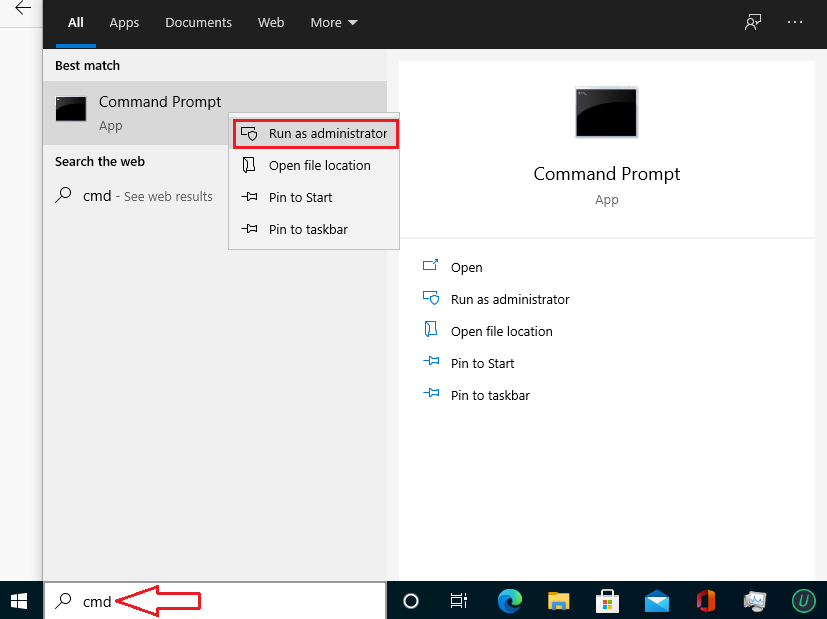
Step 2: Copy and paste these codes one by one into cmd.
slmgr.vbs /upk
slmgr.vbs /ckms
Step 3Then you copy and paste this code
DISM /online /Get-TargetEditions
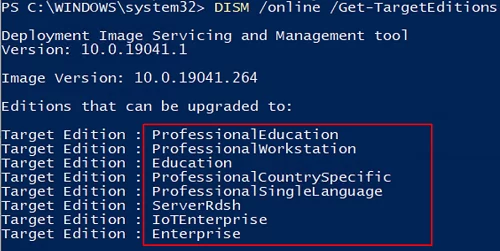
If you see Target Edition: Professional, your Windows 11 Home can be upgraded to Windows 11 Pro.
Step 4: Enter these codes in cmd
sc config LicenseManager start= auto & net start LicenseManager
sc config wuauserv start= auto & net start wuauserv
changepk.exe /productkey VK7JG-NPHTM-C97JM-9MPGT-3V66T
exit
Then you go in and wait a moment.
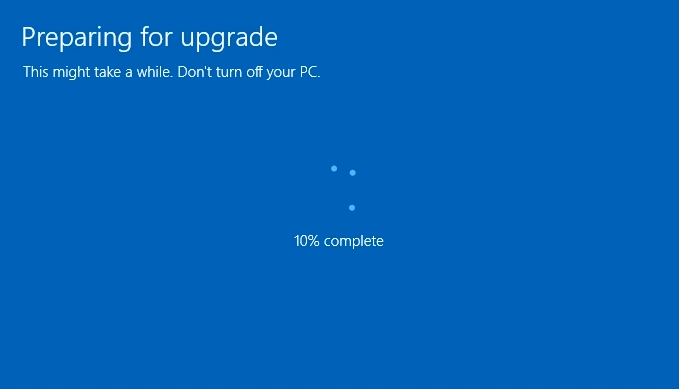
Note: If you are using Windows 11 version 20H2 or 21H1, you will see error 0x80070005. Restart Windows 11 to complete the update.